
Mastering Ghost Driver Tuning: The Ultimate Guide to Perfect Settings for 2026
Struggling with car control? Improve your performance with this comprehensive guide to Ghost Driver tuning, graphics settings, and controller optimization.
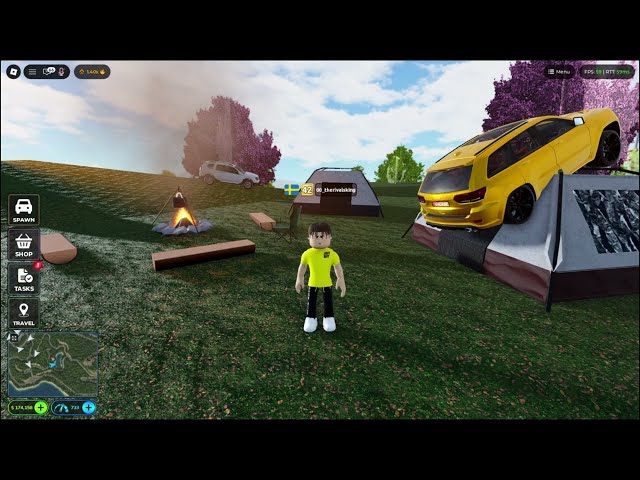 Community gameplayStruggling with car control? Improve your performance with this comprehensive guide to Ghost Driver tuning, graphics settings, and controller optimization.YouTube
 Why Your Settings Are Sabotaging Your Runs
In the high-stakes world of urban racing, your hardware configuration is just as important as your engine upgrades. If you find yourself constantly crashing during high-speed traffic weaves, the issue likely isn't your driving skill—it's your ghost driver tuning. Optimizing your ghost driver tuning is the single most effective way to increase your reaction time, stabilize your frame rate, and keep those lucrative combo multipliers active for longer sessions.
Many players assume that cranking up the graphics will lead to a better experience, but in a game where every millisecond counts, visual fidelity often comes at the cost of performance. When your frame rate drops, your ability to dodge traffic effectively vanishes, leading to frustrating end-game scenarios. This guide will walk you through the exact adjustments needed to turn your setup into a professional-grade machine.
Optimizing Graphics for Consistent Performance
Visual clarity is important, but consistent frame rates are essential. According to community reports, even a minor stutter during a high-speed lane change can result in a lost combo. If your game experiences micro-stutters when the roads get crowded, you need to prioritize stability over aesthetics.
| Graphics Setting | Low-End Hardware | Mid-Range PC | High-End Rig |
|---|---|---|---|
| Rendering Mode | Manual | Manual | Manual |
| Quality Level | 2-4 Bars | 4-6 Bars | 6-8 Bars |
| Shadows | Off | Low | Medium |
| Particle Effects | Low | Medium | Medium-High |
As a rule of thumb, if you notice your FPS dipping when you approach dense traffic, immediately lower your shadow settings. Shadows are notorious for creating unnecessary visual clutter and taxing your GPU during intense gameplay.
The Great Debate: Keyboard vs. Controller
The input device you choose changes how you should approach your steering configuration. While many top players prefer controllers for the analog precision they offer, keyboard users can be just as competitive if they adjust their sensitivity correctly.
Keyboard Optimization Strategy
Keyboard players often suffer from "snap-steering," where the wheels turn fully in one direction instantly. To mitigate this, keep your steering sensitivity in the low-to-medium range.
- Short Taps: Avoid holding down steering keys. Use quick, rhythmic taps to navigate gaps.
- Camera Distance: Always set this to "Far." It provides a wider peripheral view, allowing you to identify traffic patterns before you are right on top of them.
- Braking: Treat the brake key as an emergency-only tool. Clean, high-speed maneuvers are far more profitable than stopping to correct a mistake.
Controller Precision
If you are using a controller, your primary goal is to maintain smooth, linear input. If your vehicle feels like it is pulling to one side, you may need to increase your deadzone slightly. However, keep this value as low as possible to ensure you retain maximum responsiveness.
Advanced Camera and Handling Configurations
Your camera settings are essentially your "eyes" on the road. If you are playing too close to the car, you are limiting your reaction time. For those looking to maximize their Ghost Driver efficiency, here is how to align your camera and handling based on your specific objective.
| Objective | Recommended Camera | Handling Priority |
|---|---|---|
| Money Farming | Far Chase View | Stability First |
| Top Speed Runs | Far (Centered) | Aerodynamics |
| Drifting | Medium-Far | Rotation/Handling |
| New Players | Far | Predictable Steering |
Player experience suggests that "Far Chase" is the gold standard for money farming because it provides the best balance between seeing the road ahead and maintaining a clear view of your car’s position relative to traffic.
Fine-Tuning for Traffic Cutting and Drifting
Traffic cutting is the bread and butter of the game's economy. To excel at this, your car needs to be an extension of your own reflexes. When you are building a car for traffic, prioritize handling upgrades before touching top speed. A car that can swerve through narrow gaps at 120 mph is significantly more profitable than a car that goes 200 mph but hits everything in its path.
Drifting Tips
Drifting requires a different mindset. While you want high rotation, too much sensitivity will make your car impossible to recover from a slide.
- Sensitivity: Set to Medium.
- Upgrades: Focus on handling and acceleration components.
- Practice: Always spend 10–15 minutes on open roads before heading into heavy traffic to get a feel for your current rotation speed.
Troubleshooting Common Issues
Even with the best settings, you might hit a wall. If your vehicle feels "heavy" or unresponsive, follow this quick checklist to get back on track.
| Problem | Immediate Fix |
|---|---|
| Frame Drops | Disable shadows and reduce particle quality. |
| Input Delay | Close background browser tabs and apps. |
| Spinning Out | Reduce steering sensitivity and increase camera distance. |
| Blurry Road | Keep the camera at the "Far" setting for better clarity. |
Frequently Asked Questions
What are the best overall settings for Ghost Driver? The most effective setup involves manual graphics to ensure stable FPS, a "Far" camera distance for better visibility, and low-to-medium steering sensitivity to prevent over-correction during high-speed weaves.
Does my choice of input device really matter? Yes. While a controller offers superior analog control for small, smooth steering adjustments, keyboard players can remain competitive by using short, tapping motions and lowering their sensitivity settings to prevent "snap" turns.
Why do my graphics settings affect how much money I earn? In this game, your income is tied to "near-miss" combos. If your graphics are too high and your FPS drops, you will miss your window to dodge traffic, breaking your combo and significantly reducing your hourly earnings.
What should I do if my car keeps spinning out? This is usually a sign that your steering sensitivity is too high. Lower your sensitivity, switch to a "Far" camera angle to see the road better, and focus your next few upgrades on handling rather than raw top speed.
Related Guides
Ghost Driver Best Gear Ratio: The Ultimate Tuning Guide to Stop Getting Gapped
Master the ghost driver best gear ratio to dominate highway races and maximize your top speed in this popular Roblox car game.
Ghost Driver Car Upgrade Guide: How to Maximize Performance and Speed
Master the ghost driver car upgrade system. Learn about engine swaps, fuel types, and how to farm cash to build the ultimate street racing machine.
Mastering Ghost Driver Transmission Tuning: How to Optimize Your Ride for Speed
Learn how to optimize your ghost driver transmission and car upgrades to dominate highway races and level up your character fast in this Roblox hit.
The Ultimate Ghost Driver Max Tune Guide: How to Dominate the Streets and Reach Top Speeds
Master your vehicle's potential in Ghost Driver with our expert max tune guide. Learn how to optimize your transmission and settings to leave rivals behind.